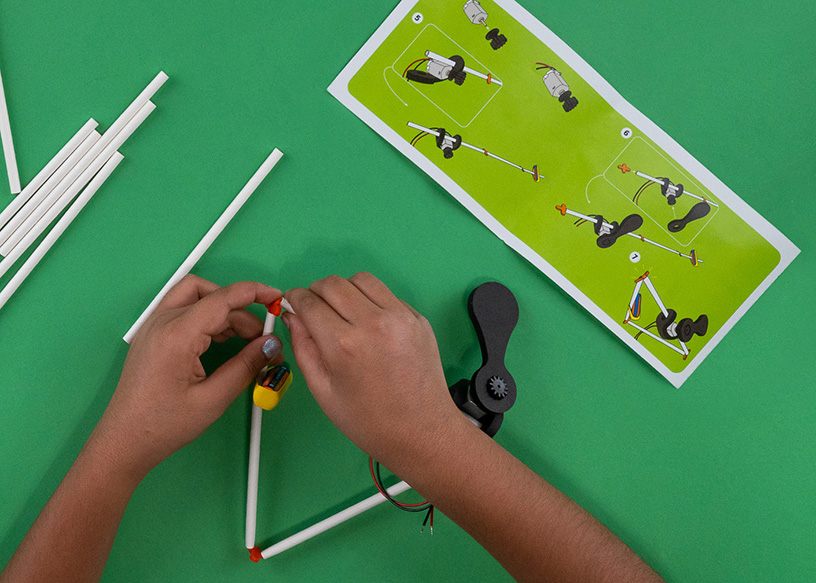
Flying Machines: Answers for Educators and Program Leaders
Flying Machines: Answers for Educators and Program Leaders
Flying Machines is a FutureMakers Spark where learners build a rubber band powered propeller flyer, then design their own wings and watch how shape changes flight. It runs as a 30 to 45 minute screen-free activity for grades 1 through 8, and it is a repeat pick for family nights, after-school programs, and STEM classrooms.
Last reviewed September 24, 2026
How to buy
Which Flying Machines pack should I buy?
For one learner, the Single Learner Pack costs $8.95. For a class or program, the Small Group Pack of 10 costs $59.50, or $5.95 per learner, and the Class Pack of 25 costs $105.00, or $4.20 per learner. Small Group and Class Pack orders both qualify for purchase orders and tax-exempt purchasing; check "Our organization is tax-exempt" in the quote builder and enter your tax ID number, or submit your tax ID number and a tax-exempt certificate through a free store account if buying directly.
Can I order fewer than 10 Flying Machines kits if my group is smaller?
Yes. Small Group Packs and Class Packs are sold in fixed sizes of 10 and 25, but the $8.95 Single Learner Pack lets a program buy any exact number it needs below 10, such as 12 kits for two groups of six. This is the option FutureMakers points buyers to when a real order does not divide evenly into a 10-pack.
Can I use a purchase order or tax-exempt status to buy Flying Machines?
Yes. Flying Machines Small Group and Class Pack orders qualify for purchase orders on Net 30 terms and for tax-exempt purchasing, the same as every FutureMakers Spark. See the full how to buy FAQ for purchase order terms, vendor paperwork, and the tax-exempt steps.
Flying Machines pack sizes and live prices
Pack
Units
Price
Per learner
Single Learner Pack
1
$8.95
$8.95
Small Group Pack
10
$59.50
$5.95
Class Pack
25
$105.00
$4.20
About the project
What do learners make with Flying Machines, and what's the big idea?
Flying Machines learners build a rubber band powered propeller flyer from a wooden fuselage stick, a plastic propeller, and a rubber band, then release it with a two-step Lift-Off technique so it flies straight up. The big idea is energy conversion: winding the propeller stores elastic potential energy, which becomes the kinetic energy of a spinning, flying machine. Once a plain flight works, learners design and attach their own symmetrical wings from the included card stock template and test how shape changes flight. The full build sequence is in the Flying Machines guide.
What grade levels is Flying Machines designed for?
Flying Machines is built for grades 1 through 8, with the core build accessible to 1st graders and the wing-design extensions scaling up through middle school. Younger learners typically need a quick review of clockwise versus counterclockwise winding before their first flight. Older learners can move into the guide's structured Engineering Design Iteration extension, which treats wing changes as a formal design-test-redesign cycle instead of free experimentation. Standards codes on the guide run from kindergarten NGSS through grade 8 math and science.
What extensions are there for early finishers or older learners?
Flying Machines has five documented extensions once the basic flight works. Early finishers can jump into a Wing Design Challenge, a Size vs. Weight Experiment, or a Flight Distance Competition to keep testing without new materials. Older learners get a structured Engineering Design Iteration extension that formalizes the design-test-redesign cycle, plus a Peer Review and Feedback activity where learners critique and improve a partner's wing design. All five extensions reuse the same kit, so there is nothing extra to buy or supply.
Using it in a session
How long does a Flying Machines session take?
Plan on 30 to 45 minutes for a Flying Machines session. As a quick activity station, the core build takes about 15 minutes, and the wing-iteration extensions add time beyond the core session.
How many learners does one pack serve, and how should I group them?
Flying Machines is a 1:1 build: every learner assembles and keeps their own flyer, so a Small Group Pack of 10 serves 10 learners and a Class Pack of 25 serves 25. The only grouping the guide calls for is the Peer Review and Feedback extension, where learners pair up to critique and improve each other's wing designs after their first flight works. There is no team-build version of the core project.
What does an educator need to prepare and supply for Flying Machines?
The core Flying Machines kit needs no outside supplies. To follow the full guide, an educator should have an open indoor space or hallway ready for safe test flights and be ready to remind younger learners which way is clockwise before their first wind. For the optional wing-design extensions, bring scissors, extra scrap or construction paper, and a projector and screen if showing the guide's slides to the group. Prep takes about 5 to 10 minutes, per the product listing.
What does a first successful Flying Machines build look like?
A first success is a basic flight with no wings attached, using the two-step Lift-Off technique. The propeller gets wound clockwise 50 or more times until big bumps form in the rubber band, then released before the fuselage, so it lifts straight up instead of both parts letting go at once. Once that basic flight is reliable, learners move on to adding their own wings.
What are the most common problems and fixes?
Three problems cover most Flying Machines troubleshooting. It will not fly: wind the propeller clockwise 50 to 70 or more times until the band shows big bumps. It shoots downward: the propeller was wound the wrong direction, so rewind it clockwise. It releases but does not gain altitude: the learner let go of both parts at once instead of using the two-step Lift-Off release. Full troubleshooting, including wing and spin issues, is on the Flying Machines guide's troubleshooting section.
Standards and skills
What academic standards does Flying Machines align to?
Flying Machines carries specific NGSS, Common Core ELA, and Common Core Math codes on its guide, spanning kindergarten through grade 8. NGSS codes include K-PS3-1 (energy and motion) and MS-PS3-5 (conservation of energy and energy transfer). The guide does not carry National Core Arts Standards or CASEL social-emotional competency codes; FutureMakers' own pages describe SEL benefits in general terms, not as codified alignments. The full table of codes is below.
Where can I find the full Flying Machines guide and video?
Every code below appears on kidsmakethingsbetter.com/inst/flying-machines. No CASEL or arts-standards codes appear on the guide.
Standard family
Code
What it covers
NGSS
K-PS3-1
Energy and Motion
NGSS
K-2-ETS1-2
Engineering Design
NGSS
3-PS2-1
Forces and Interactions
NGSS
3-5-ETS1-3
Planning and Carrying Out Investigations
NGSS
MS-PS3-5
Conservation of Energy and Energy Transfer
NGSS
MS-ETS1-2
Developing Possible Solutions
Common Core ELA
RI.K-2.7
Use illustrations and words to describe key ideas
Common Core ELA
SL.K-2.1
Participate in collaborative conversations
Common Core ELA
RI.3-5.7
Interpret information from diagrams and text
Common Core ELA
W.3-5.2
Write informative/explanatory texts
Common Core ELA
RST.6-8.7
Analyze diagrams and scientific texts
Common Core ELA
W.6-8.1
Write arguments to support claims with evidence
Common Core Math
2.MD.A.1
Measure the length of an object
Common Core Math
2.G.A.1
Identify shapes by their attributes
Common Core Math
4.MD.A.2
Solve problems involving measurement and time
Common Core Math
4.G.A.3
Recognize a line of symmetry
Common Core Math
7.RP.A.2
Recognize and represent proportional relationships
Common Core Math
6.G.A.1
Find the area of shapes by composing and decomposing
Who uses it and how
How do community schools use Flying Machines at family nights?
Flying Machines works as a learner-led station at a family night: learners build the flyer in advance, then lead the demonstration for caregivers at the event. This is the same learner-led model behind the claim that family attendance rises when kids present what they built. See our community schools answers page for how the learner-led format works district-wide.
Is Flying Machines a good fit for a library or PTA family engagement night?
Yes. The Flying Machines product listing describes it as "a popular family engagement or multi-session experience for elementary and middle school learners," which matches how libraries and PTA STEM nights typically run: one station, a short demo, and take-home builds. See our libraries and family engagement answers page for bundle options sized for a family-night station.
Do camps and after-school programs actually buy Flying Machines?
Yes. County recreation and parks departments have bought Flying Machines in 10-packs as part of countywide orders that span many Sparks. See our after-school and summer programs answers page for how camps and rec departments buy across multiple Sparks at once.
<script type="application/ld+json">{"@context": "https://schema.org", "@type": "FAQPage", "mainEntity": [{"@type": "Question", "name": "Which Flying Machines pack should I buy?", "acceptedAnswer": {"@type": "Answer", "text": "For one learner, the Single Learner Pack costs $8.95. For a class or program, the Small Group Pack of 10 costs $59.50, or $5.95 per learner, and the Class Pack of 25 costs $105.00, or $4.20 per learner. Small Group and Class Pack orders both qualify for purchase orders and tax-exempt purchasing; check \"Our organization is tax-exempt\" in the quote builder and enter your tax ID number, or submit your tax ID number and a tax-exempt certificate through a free store account if buying directly."}}, {"@type": "Question", "name": "Can I order fewer than 10 Flying Machines kits if my group is smaller?", "acceptedAnswer": {"@type": "Answer", "text": "Yes. Small Group Packs and Class Packs are sold in fixed sizes of 10 and 25, but the $8.95 Single Learner Pack lets a program buy any exact number it needs below 10, such as 12 kits for two groups of six. This is the option FutureMakers points buyers to when a real order does not divide evenly into a 10-pack."}}, {"@type": "Question", "name": "Can I use a purchase order or tax-exempt status to buy Flying Machines?", "acceptedAnswer": {"@type": "Answer", "text": "Yes. Flying Machines Small Group and Class Pack orders qualify for purchase orders on Net 30 terms and for tax-exempt purchasing, the same as every FutureMakers Spark. See the full how to buy FAQ for purchase order terms, vendor paperwork, and the tax-exempt steps."}}, {"@type": "Question", "name": "What do learners make with Flying Machines, and what's the big idea?", "acceptedAnswer": {"@type": "Answer", "text": "Flying Machines learners build a rubber band powered propeller flyer from a wooden fuselage stick, a plastic propeller, and a rubber band, then release it with a two-step Lift-Off technique so it flies straight up. The big idea is energy conversion: winding the propeller stores elastic potential energy, which becomes the kinetic energy of a spinning, flying machine. Once a plain flight works, learners design and attach their own symmetrical wings from the included card stock template and test how shape changes flight. The full build sequence is in the Flying Machines guide ."}}, {"@type": "Question", "name": "What grade levels is Flying Machines designed for?", "acceptedAnswer": {"@type": "Answer", "text": "Flying Machines is built for grades 1 through 8, with the core build accessible to 1st graders and the wing-design extensions scaling up through middle school. Younger learners typically need a quick review of clockwise versus counterclockwise winding before their first flight. Older learners can move into the guide's structured Engineering Design Iteration extension, which treats wing changes as a formal design-test-redesign cycle instead of free experimentation. Standards codes on the guide run from kindergarten NGSS through grade 8 math and science."}}, {"@type": "Question", "name": "What extensions are there for early finishers or older learners?", "acceptedAnswer": {"@type": "Answer", "text": "Flying Machines has five documented extensions once the basic flight works. Early finishers can jump into a Wing Design Challenge, a Size vs. Weight Experiment, or a Flight Distance Competition to keep testing without new materials. Older learners get a structured Engineering Design Iteration extension that formalizes the design-test-redesign cycle, plus a Peer Review and Feedback activity where learners critique and improve a partner's wing design. All five extensions reuse the same kit, so there is nothing extra to buy or supply."}}, {"@type": "Question", "name": "How long does a Flying Machines session take?", "acceptedAnswer": {"@type": "Answer", "text": "Plan on 30 to 45 minutes for a Flying Machines session. As a quick activity station, the core build takes about 15 minutes, and the wing-iteration extensions add time beyond the core session."}}, {"@type": "Question", "name": "How many learners does one pack serve, and how should I group them?", "acceptedAnswer": {"@type": "Answer", "text": "Flying Machines is a 1:1 build: every learner assembles and keeps their own flyer, so a Small Group Pack of 10 serves 10 learners and a Class Pack of 25 serves 25. The only grouping the guide calls for is the Peer Review and Feedback extension, where learners pair up to critique and improve each other's wing designs after their first flight works. There is no team-build version of the core project."}}, {"@type": "Question", "name": "What does an educator need to prepare and supply for Flying Machines?", "acceptedAnswer": {"@type": "Answer", "text": "The core Flying Machines kit needs no outside supplies. To follow the full guide, an educator should have an open indoor space or hallway ready for safe test flights and be ready to remind younger learners which way is clockwise before their first wind. For the optional wing-design extensions, bring scissors, extra scrap or construction paper, and a projector and screen if showing the guide's slides to the group. Prep takes about 5 to 10 minutes, per the product listing."}}, {"@type": "Question", "name": "What does a first successful Flying Machines build look like?", "acceptedAnswer": {"@type": "Answer", "text": "A first success is a basic flight with no wings attached, using the two-step Lift-Off technique. The propeller gets wound clockwise 50 or more times until big bumps form in the rubber band, then released before the fuselage, so it lifts straight up instead of both parts letting go at once. Once that basic flight is reliable, learners move on to adding their own wings."}}, {"@type": "Question", "name": "What are the most common problems and fixes?", "acceptedAnswer": {"@type": "Answer", "text": "Three problems cover most Flying Machines troubleshooting. It will not fly: wind the propeller clockwise 50 to 70 or more times until the band shows big bumps. It shoots downward: the propeller was wound the wrong direction, so rewind it clockwise. It releases but does not gain altitude: the learner let go of both parts at once instead of using the two-step Lift-Off release. Full troubleshooting, including wing and spin issues, is on the Flying Machines guide's troubleshooting section ."}}, {"@type": "Question", "name": "What academic standards does Flying Machines align to?", "acceptedAnswer": {"@type": "Answer", "text": "Flying Machines carries specific NGSS, Common Core ELA, and Common Core Math codes on its guide, spanning kindergarten through grade 8. NGSS codes include K-PS3-1 (energy and motion) and MS-PS3-5 (conservation of energy and energy transfer). The guide does not carry National Core Arts Standards or CASEL social-emotional competency codes; FutureMakers' own pages describe SEL benefits in general terms, not as codified alignments. The full table of codes is below."}}, {"@type": "Question", "name": "Where can I find the full Flying Machines guide and video?", "acceptedAnswer": {"@type": "Answer", "text": "The full illustrated Flying Machines guide, including the step-by-step build, standards table, and troubleshooting, is at kidsmakethingsbetter.com/inst/flying-machines . The companion video walkthrough is on YouTube at Flying Machines: Build Rubber Band-Powered Flyers . Both are free to view without an account, and a free educator account opens the slide decks too, at Coach with Sparks ."}}, {"@type": "Question", "name": "How do community schools use Flying Machines at family nights?", "acceptedAnswer": {"@type": "Answer", "text": "Flying Machines works as a learner-led station at a family night: learners build the flyer in advance, then lead the demonstration for caregivers at the event. This is the same learner-led model behind the claim that family attendance rises when kids present what they built. See our community schools answers page for how the learner-led format works district-wide."}}, {"@type": "Question", "name": "Is Flying Machines a good fit for a library or PTA family engagement night?", "acceptedAnswer": {"@type": "Answer", "text": "Yes. The Flying Machines product listing describes it as \"a popular family engagement or multi-session experience for elementary and middle school learners,\" which matches how libraries and PTA STEM nights typically run: one station, a short demo, and take-home builds. See our libraries and family engagement answers page for bundle options sized for a family-night station."}}, {"@type": "Question", "name": "Do camps and after-school programs actually buy Flying Machines?", "acceptedAnswer": {"@type": "Answer", "text": "Yes. County recreation and parks departments have bought Flying Machines in 10-packs as part of countywide orders that span many Sparks. See our after-school and summer programs answers page for how camps and rec departments buy across multiple Sparks at once."}}]}</script>